
17 Best AI Web Design Tools for Agencies in 2026
A practical agency-tested stack of 17 AI web design tools for research, wireframes, UI, development, accessibility and conversion optimisation.
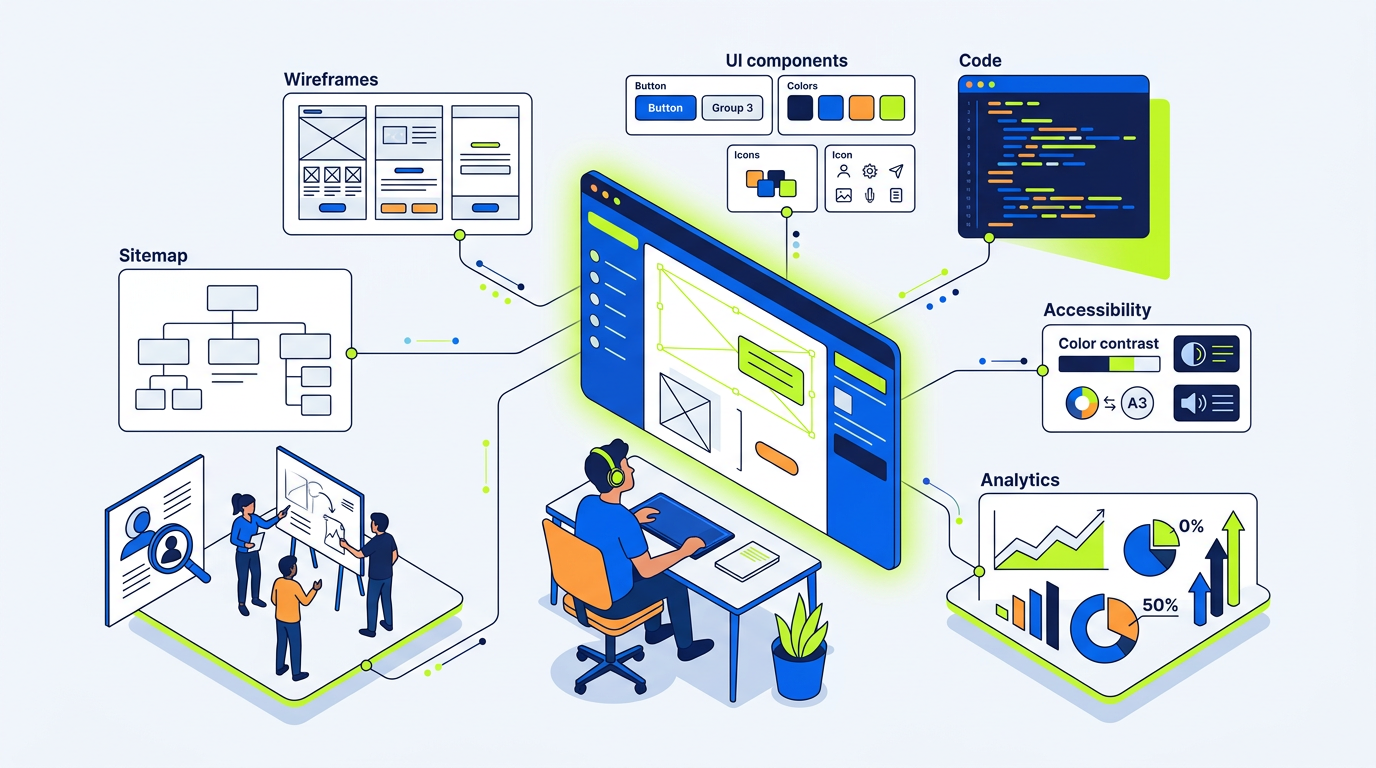
The best AI web design tools for agencies in 2026 are the ones that shorten repetitive work without handing strategy, UX judgement or quality control to a model. My practical stack is Perplexity and Claude for research, Relume and Figma AI for planning, v0 for components, Stark and axe for accessibility, then Clarity or VWO for conversion learning.
The 17 AI web design tools worth using in an agency workflow
I do not run every project through every AI tool. That creates subscription bloat, inconsistent outputs and more review work than it saves.
Instead, I use tools at specific points in the agency workflow: briefing, research, content, structure, visual direction, development, QA and optimisation. The right choice depends on whether you are producing a five-page services site, a Shopify store, an NGO donation platform or a larger content product.
Here are the 17 tools I would shortlist for agency work in 2026:
- Perplexity for fast cited market and competitor research
- ChatGPT for workshop notes, content variations and structured ideation
- Claude for long briefs, messaging strategy and editing
- Grammarly for final copy consistency and tone checks
- Relume for sitemap and wireframe starting points
- Figma AI for quick exploration, layer cleanup and visual iteration
- UX Pilot for rapid wireframe concepts and UX prompts
- Galileo AI for early UI direction exploration
- v0 by Vercel for React and interface component generation
- Lovable for testing simple app and dashboard concepts
- Stark for accessible colour, contrast and inclusive design checks
- axe DevTools for browser-level accessibility testing
- Figma Dev Mode for design-to-development specifications
- GitHub Copilot for repetitive code, tests and documentation support
- Hotjar for heatmaps, recordings and AI-assisted behaviour summaries
- Microsoft Clarity for free session recording and friction discovery
- VWO for structured A/B testing and conversion experimentation
AI should reduce blank-page time, not remove the design review stage.
For examples of the type of work where process matters more than a generated template, see my portfolio. A donation journey for an NGO, a travel enquiry funnel and a lead-generation website need different decisions even if they all start with the same prompt.
Start with research: Perplexity, ChatGPT and Claude for briefs, competitors and audience insight
Research is where AI has given me the most practical time saving. It is not because the output is automatically correct. It is because a well-scoped prompt gives me a faster first pass at the questions I need to validate.
For a recent build for a Delhi NGO, I used AI to turn scattered WhatsApp messages, PDFs and meeting notes into a working discovery document: audience groups, donation objections, programme categories, required trust signals and page priorities. I still confirmed facts with the client before they appeared on the website.
Perplexity: use it for research trails, not final claims
Perplexity is useful when I need a quick view of:
- Competitor positioning and service-page patterns
- Publicly available sector terminology
- Search-result intent and recurring user questions
- Government, nonprofit or compliance references
- Source links to verify manually
Its cited answers are more useful than a generic chatbot response, but citations are not a guarantee of accuracy. I open the underlying sources before making a recommendation to a client.
For a travel project such as Luft Holidays, I would use research tools to map common package-page elements, enquiry triggers and trust signals. I would not use them to invent destination prices, visa requirements or customer reviews.
ChatGPT: use it to organise raw information
ChatGPT is effective for structured operational work:
- Converting discovery-call transcripts into a brief
- Creating a page inventory from a messy client document
- Writing interview questions for the business owner
- Grouping reviews into themes
- Creating first drafts of user journeys
- Producing content outlines from approved positioning
Give it source material. “Write a website for a salon” produces predictable generic content. A prompt containing real services, pricing, customer objections, local area, differentiators and existing reviews gives you something worth editing.
Claude: use it for long documents and reasoning-heavy drafts
Claude is my preferred option when the source material is long: a 20-page brand document, a proposal, several stakeholder notes or a detailed website audit. It is especially good at identifying contradictions in a brief.
For example, if a client says they want “premium corporate clients” but their existing pricing, imagery and message lead with cheap offers, Claude can help surface that mismatch. A human still decides whether the business should reposition, change its offer or retain a mass-market approach.
The quality of an AI-generated brief depends more on the source inputs than the model you choose.
Turn strategy into conversion copy with Claude, ChatGPT and Grammarly
Copy is not a separate task after design. It determines page hierarchy, CTA labels, trust sections, imagery and the type of forms you need.
I use AI to accelerate drafts, alternatives and editing. I do not publish a raw output from any model, particularly for legal claims, health claims, financial claims, regulated sectors or sensitive NGO messaging.
A conversion-copy workflow that works
For each core page, I start with five human decisions:
- Who is this page for?
- What problem are they already trying to solve?
- What should they do next?
- What proof reduces hesitation?
- What information must be true and approved?
Then I ask Claude or ChatGPT to produce several message angles, not one “final” page. For a local salon, that might mean one angle around convenience, one around specialist service and one around a premium experience. For an NGO, the primary angle may be urgency, transparency or measurable impact.
Grammarly is useful at the final stage for grammar, clarity and style consistency. It is not a replacement for brand voice. In fact, accepting every suggestion can make a page sound flatter and less specific.
For sites that need visibility beyond traditional blue-link search, copy must also be easy to quote and verify. I cover that wider issue in AEO & GEO in 2026.
What I do not recommend for copy
I would not recommend:
- Publishing AI-written testimonials
- Generating founder stories without interviews
- Using fabricated statistics or “trusted by” claims
- Allowing AI to write policy, medical or legal claims without review
- Filling every section with keyword-heavy generic prose
A conversion page wins because it says something specific, not because it contains more words.
Build faster wireframes with Relume, Figma AI and UX Pilot
Wireframes are where clients see the strategy becoming real. AI can make this phase faster, but only if you treat generated structures as a draft, not a sitemap approved by a robot.
Relume for information architecture
Relume is one of the most useful tools for agency website planning. It can generate a first sitemap, suggest page sections and move those sections into a wireframe-style structure.
For a standard services business, it can save several hours of blank-canvas work. I still review:
- Whether every page has a distinct search and conversion purpose
- Whether the navigation is too broad
- Whether case studies and proof appear early enough
- Whether the contact path is simple
- Whether the layout supports mobile scanning
For an NGO project like Sarv Dharam Sewa Sangh, a generated sitemap cannot decide which causes deserve prominence or how donation trust should be explained. That needs stakeholder input.
Figma AI and UX Pilot for early options
Figma AI can help speed up exploration, content placeholders and design iteration inside the tool the team already uses. UX Pilot can create quick wireframe concepts from prompts, which is useful when comparing different approaches before committing to a higher-fidelity direction.
I use these tools to test questions such as:
- Is a service-led homepage clearer than an industry-led homepage?
- Should the primary CTA be booking, calling or requesting a quote?
- Does the user need a calculator, eligibility checker or searchable directory?
- Which content should appear before the first form?
The output is a discussion tool, not client-ready UX.
Generate UI directions with Figma AI, Galileo AI, v0 and Lovable
AI UI generators are good at making something look plausible quickly. That is both their strength and their risk.
A polished-looking screen can hide poor hierarchy, inaccessible contrast, unreadable mobile layouts, impractical interactions and a brand that looks like everyone else’s.
Figma AI and Galileo AI: fast visual exploration
Figma AI and Galileo AI are useful when I need multiple visual directions before investing time in a complete component system. I might explore:
- Editorial versus corporate layouts
- Dense versus spacious service pages
- Different dashboard structures
- Card, table and search-result patterns
- Alternate mobile navigation approaches
I do not present the first AI-generated screen as a finished design. I extract what is useful: spacing rhythm, component ideas, layout options or visual references. Then I rebuild the system in Figma with accessible type scales, defined tokens and real content.
v0: best for developers working in React or Next.js
v0 is valuable when a build uses React, Next.js, Tailwind CSS and shadcn/ui-style components. It can create a usable first version of an interface or a component from a written prompt or screenshot reference.
It is particularly effective for internal tools, pricing calculators, filters, simple dashboards, form flows and landing-page sections. It is less reliable for a complete production website with complex CMS rules, multilingual requirements, analytics events and edge cases.
Use v0 as a coding accelerator, then have a developer review the generated code for semantics, responsiveness, performance, security and maintainability.
Lovable: useful for validating simple product ideas
Lovable is useful for testing an app concept or internal workflow quickly. For example, a service business may want a simple lead tracker, a booking prototype or a member-resource concept before commissioning a custom build.
I would not recommend launching a sensitive client portal, finance workflow or large public platform without proper architecture, access control, testing and an experienced developer’s review.
Compare agency AI tool costs, limits and the jobs they actually save time on
Pricing changes frequently, especially for AI products. The ranges below are practical planning estimates in 2026, usually per user per month before tax. Verify current plan limits on each provider’s pricing page before committing your team.
| Tool | Main agency job | Typical monthly cost | Approx. INR range | Realistic time saved |
|---|---|---|---|---|
| Perplexity Pro | Research and source discovery | US$20 | ₹1,700–₹2,000 | 1–3 hours per brief |
| ChatGPT paid plan | Ideation, organisation, draft variations | US$20–$30 | ₹1,700–₹2,600 | 2–5 hours per project |
| Claude paid plan | Long-form analysis and copy editing | US$20–$30 | ₹1,700–₹2,600 | 2–6 hours per project |
| Relume | Sitemap and wireframe starting points | US$18–$40 | ₹1,500–₹3,400 | 3–8 hours per site |
| Figma Professional/AI access | Design workflow and collaboration | US$15–$25 | ₹1,300–₹2,200 | 2–5 hours per site |
| Stark | Accessibility checks in design | US$10–$20 | ₹850–₹1,700 | 1–3 hours per site |
| axe DevTools | Accessibility testing in browser | Free to paid team plans | ₹0–₹4,000+ | 1–4 hours per site |
| GitHub Copilot | Code assistance | US$10–$39 | ₹850–₹3,400 | 3–10 hours per build |
| Hotjar | Behaviour analysis | Free to US$100+ | ₹0–₹8,500+ | Depends on traffic |
| VWO | A/B testing | Often custom pricing | Usually ₹10,000+/month | Depends on test volume |
A lean two-person agency can start with one research/copy subscription, Relume, Figma, an accessibility tool and Clarity for roughly US$70–$180 per month, or around ₹6,000–₹15,000 per month, excluding development tooling.
That does not mean every subscription pays for itself. If you build one brochure site every few months, several paid AI tools will be unnecessary. If you run five to 10 projects concurrently, they can remove meaningful production friction.
For broader project budgeting, see my pricing and the detailed comparison of website costs in the US versus India.
Check accessibility before handoff with Stark, axe DevTools and Figma AI
Accessibility cannot be “added later” with a widget. It needs to influence design decisions from the first wireframe.
I use Stark within Figma to check colour contrast, simulate visual conditions and catch obvious design issues early. I then use axe DevTools in the browser during QA to find technical issues such as missing labels, invalid ARIA usage, weak heading structures and other detectable failures.
Figma AI can help create alternatives and explain patterns, but it is not an accessibility compliance tool.
What automated tools do not catch
Automated testing will not reliably judge:
- Whether button text is understandable
- Whether a form sequence makes sense
- Whether keyboard focus order feels logical
- Whether alt text conveys useful meaning
- Whether the language is too complex
- Whether an error message tells users how to recover
For client work, I also check the mobile experience manually on real devices where possible. A design can pass a contrast checker and still be difficult to use on a low-end Android device with a patchy connection.
Accessibility is a design and content responsibility, not just a developer checklist.
Make developer handoff cleaner with Figma Dev Mode, v0 and GitHub Copilot
Poor handoff is one of the biggest reasons a polished Figma file becomes an inconsistent live website.
Figma Dev Mode helps teams document spacing, typography, colours, component states, assets and responsive intent. But it only works if the design file is clean. I name layers, use components, define variables and document exceptions instead of expecting a developer to reverse-engineer every screen.
v0 can generate a component starting point, while GitHub Copilot can help developers with repetitive code, unit tests, refactoring, documentation and debugging suggestions.
Neither tool understands the full business requirement unless you supply it.
My handoff minimum
Before a developer starts, I provide:
- Approved desktop and mobile layouts
- Component library and state examples
- Font files, image assets and icon sources
- Form fields, validation rules and success states
- CMS content model where needed
- SEO title, metadata and URL plan
- Analytics events and conversion definitions
- Accessibility notes
- Performance requirements
For performance, I review Core Web Vitals rather than assuming an AI-generated codebase is lightweight. Read my guide to Core Web Vitals in 2026 for the metrics that affect real site quality.
Use Hotjar, Microsoft Clarity and VWO for AI-assisted conversion testing
A site is not finished when it launches. It is finished when you know what users do, where they hesitate and what you will improve next.
Microsoft Clarity: start here for most small sites
Microsoft Clarity is free and provides session recordings, heatmaps and behaviour signals. For many small business, portfolio, local service and NGO websites, it is the best first step because the cost barrier is zero.
I look for patterns:
- Users rage-clicking non-clickable elements
- Mobile visitors abandoning long forms
- People repeatedly opening FAQs but not contacting
- Important CTA buttons being ignored
- Visitors scrolling past proof sections
- Search users landing on pages with no relevant next step
Hotjar: useful for surveys and deeper qualitative review
Hotjar adds useful feedback tools and surveys. It is helpful when you want to ask people why they did not complete an enquiry, why they chose a competitor or what information was missing.
Do not ask vague questions such as “How was your experience?” Ask a question tied to a decision point: “What stopped you from requesting a quote today?”
VWO: use it only when traffic supports testing
VWO is for teams ready to run controlled experiments. A/B tests need enough traffic and a clear hypothesis. If a page gets 150 visits a month, changing button colour and declaring a winner is not serious optimisation.
A valid test might be:
- Hypothesis: placing project proof above the contact form will increase qualified enquiries.
- Variation: add three industry-relevant mini case studies before the CTA.
- Primary metric: completed qualified enquiry form.
- Guardrail metric: spam submissions or unqualified leads.
Heatmaps show behaviour; controlled tests help establish whether a change caused the result.
The agency AI stack I would not recommend: where generated design creates risk
There is a growing temptation to sell “AI websites” as if the tool itself is the service. I would not recommend that approach.
I would not rely on a one-click website builder for:
- A business that depends on organic search and structured content
- A custom e-commerce experience
- A donation, healthcare, finance or legally sensitive workflow
- A multilingual site with complex CMS requirements
- A brand that needs a distinct visual identity
- A company expecting ongoing conversion optimisation
- A public platform that stores user data
The risk is not only poor design. It is fragile code, weak security, unclear ownership, inaccessible interactions, bloated performance, poor schema, generic content and difficult future maintenance.
AI also creates confidentiality risk. Never paste passwords, customer lists, private financial documents, unpublished strategy, personal data or client credentials into a public AI account without checking the provider’s business plan, data controls and contractual terms.
For offshore or distributed delivery, the process matters as much as the tool. My guide to working across time zones with an offshore web partner explains the operating rhythm I recommend.
A practical 30-day rollout checklist for a small web design agency
Do not buy 10 tools on day one. Run a controlled rollout and measure whether each tool improves speed, quality or margin.
Week 1: establish the baseline
- List your current workflow from enquiry to launch.
- Record the average hours spent on research, wireframes, content, design, development and QA.
- Identify the two biggest repetitive bottlenecks.
- Choose one active project as the pilot.
- Create a policy for client data, confidential briefs and approval rules.
Week 2: test research, copy and structure
- Use Perplexity for competitor and source discovery, then manually verify findings.
- Use Claude or ChatGPT to turn discovery notes into a structured brief.
- Generate three homepage message directions, then select and edit one manually.
- Use Relume or UX Pilot to create two sitemap options.
- Document what AI suggestions were accepted, rejected or changed.
Week 3: test design and development support
- Build the approved wireframe in Figma using reusable components.
- Use Figma AI or Galileo AI only for visual exploration, not final output.
- Generate one non-critical interface component with v0.
- Review generated code for semantic HTML, responsiveness and maintainability.
- Add Stark checks before design approval.
Week 4: QA and conversion measurement
- Run axe DevTools checks on staging pages.
- Test keyboard navigation, forms and mobile layouts manually.
- Set up Microsoft Clarity and define the key conversion event.
- Create a post-launch review date for 14 and 30 days after launch.
- Cancel tools that did not produce a measurable saving or quality improvement.
By the end of 30 days, you should know which subscriptions are part of your production system and which were simply interesting demos.
The bottom line
The best AI web design tools for agencies in 2026 do not replace the agency. They make a disciplined agency faster at research, wireframes, QA, handoff and iteration.
If you need a conversion-focused website rather than an AI-generated template, I can build a free 48-hour website mockup around your actual offer, audience and goals. Review my services, see the portfolio, or book a conversation through the contact page.
FAQ
What are the best AI web design tools for agencies in 2026?
The strongest agency stack is Perplexity, ChatGPT, Claude, Relume, Figma AI, v0, Stark, axe DevTools, GitHub Copilot, Microsoft Clarity, Hotjar and VWO. The best selection depends on your workflow, project volume and technical stack. I would start with research, wireframing, accessibility and behaviour analysis before adding more specialised generators.
Can AI web design tools replace a web designer or developer?
No. AI can generate drafts, layouts, components and code suggestions, but it cannot reliably handle brand strategy, stakeholder conflict, UX trade-offs, accessibility judgement, conversion strategy or long-term technical architecture. It works best as a production assistant supervised by experienced designers and developers.
How much should a small web agency budget for AI tools each month?
A lean agency can start at roughly US$70–$180 per month, or around ₹6,000–₹15,000, for a sensible core stack. That usually covers one research/copy tool, Figma, Relume, accessibility checks and free behaviour analytics. Larger teams may spend US$300–$1,000+ monthly once they add developer seats, paid analytics and experimentation platforms.
Which AI tools are safest for client work and confidential briefs?
Use business or team plans that clearly state their data handling, retention and training policies, then confirm the details before use. Do not paste personal data, passwords, client credentials, unpublished financial information or sensitive documents into consumer AI accounts. Your agency should have a written policy defining what information can be used in each tool.
Can AI-generated websites meet accessibility and Core Web Vitals requirements?
They can, but not automatically. AI-generated code and layouts still need manual accessibility checks, semantic HTML review, keyboard testing, responsive testing and performance optimisation. Tools such as Stark and axe DevTools catch many issues, while real-device checks and Core Web Vitals monitoring confirm how the live site performs.
What is the best AI workflow from website brief to launch?
Start with verified research and a human-led brief, then use AI to organise information, explore copy directions and draft sitemaps. Build approved wireframes and design systems in Figma, use code generation only for reviewed components, then run accessibility, performance and manual QA before launch. After launch, use Clarity, Hotjar or VWO to learn from user behaviour and improve the highest-impact pages.
Work with me
Want the same for your business?
I help founders in India and worldwide ship fast, SEO-ready websites that rank on Google — and get cited by AI search.
Start a projectKeep reading
Google Ad Grants for Nonprofits in India: Website Readiness Guide

How to Hire a Web Designer in Delhi in 2026 (Without Wasting Lakhs)
How Much Does a Website Cost in India in 2026? (Full INR Breakdown)
Your Website Is Losing Half Your Leads in 3 Seconds — And You Probably Don't Know It

I Replaced 11 Tools With 5 AI Ones — Here's My 2026 Small-Business Stack (And What It Costs)