I Replaced 11 Tools With 5 AI Ones — Here's My 2026 Small-Business Stack (And What It Costs)
An honest look at the AI stack I actually run my web design studio on: what each tool replaced, what it costs per month in USD and INR, and the places AI still falls flat on its face.
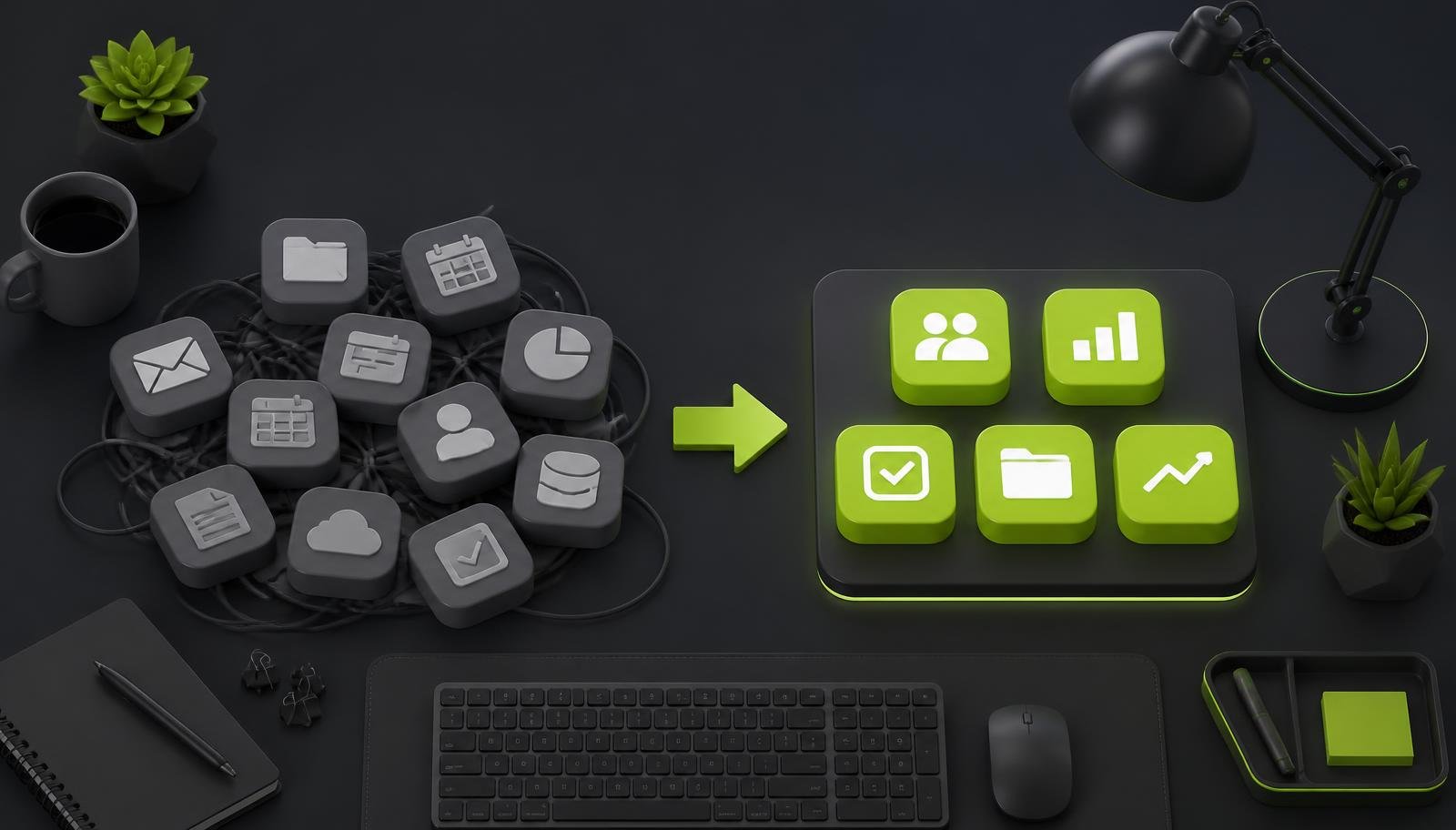
My 2026 small-business AI stack is boring on purpose: one writing/research assistant, one design tool, one support chatbot, one sales-research workflow, and one automation/reporting layer. It costs me roughly $80–$250/month depending on usage, and it replaces a messy pile of subscriptions I was barely using properly.
What changed in my stack after running a web design studio?
A few years ago, I had the classic founder disease.
One tool for captions.
One tool for grammar.
One tool for blog ideas.
One tool for invoices.
One tool for screenshots.
One tool for image cleanup.
One tool for chat.
One tool for reports.
One tool for “productivity”, which ironically created more work.
Very smart. Very founder-like. Very expensive.
Now I run TechTipsTool with a much simpler stack. I build websites, handle SEO, write content, answer leads, send invoices, track campaigns, and maintain client communication without drowning in tabs.
AI helped, yes.
But not because it is magic.
It helped because I stopped asking, “Which AI tool is trending?” and started asking, “Which repeated task is eating my time every week?”
That is the only question that matters.
AI is not a business strategy. It is a very fast assistant with no taste, no context, and too much confidence.
So my 2026 stack is lean. Five core AI tools/workflows. A few boring non-AI tools around them. No circus.
If you are a solo founder, consultant, agency owner, freelancer, ecommerce operator, coach, or local business owner, this is the kind of setup I’d recommend before buying random shiny subscriptions.
What are the 5 AI tools in my small-business stack?
I’ll keep this practical.
I don’t want to turn this into a “top 47 AI tools you must try” type of blog. Nobody has time for that. Especially if you are the person doing sales, delivery, support, accounts, and remembering to drink water.
My stack is built around five jobs:
- Content and repurposing
- Customer support and chat
- Design and images
- Sales research and outreach
- Admin, invoices, scheduling, analytics and reporting
Yes, the last one is a bit of a combo. That is intentional.
Small businesses do not need 16 separate departments. We need fewer moving parts.
Here’s the simple overview.
| Category | What I use it for | Rough monthly cost band | Free tier? |
|---|---|---|---|
| Content and repurposing | Blog outlines, social posts, email drafts, YouTube/LinkedIn repurposing, SEO briefs | $20–$60 / ₹1,700–₹5,000 | Yes, usually limited |
| Customer support/chat | Website chatbot, FAQ answers, lead qualification, basic support routing | $0–$80 / ₹0–₹6,700 | Yes, on many tools |
| Design and images | Social creatives, blog graphics, mockups, image cleanup, simple brand assets | $10–$50 / ₹850–₹4,200 | Yes, limited |
| Sales/lead research and outreach | Prospect research, account notes, first-draft emails, follow-up variations | $20–$100 / ₹1,700–₹8,300 | Sometimes |
| Admin/invoices/scheduling/analytics | Meeting summaries, invoice reminders, reporting notes, dashboard commentary, automations | $20–$150 / ₹1,700–₹12,500 | Yes, but usage-limited |
Tiny note: INR numbers are rough. Tool prices change. Exchange rates change. Founders’ moods also change when SaaS renewals hit the card.
Which AI tool do I use for content and repurposing?
For content, I use a general-purpose AI assistant like ChatGPT or Claude.
Not 9 different “AI content generators”.
One strong assistant is enough for:
- Blog topic research
- Content outlines
- First drafts
- Meta titles and descriptions
- Social post variations
- Email newsletter drafts
- Repurposing long content into short posts
- Turning call notes into summaries
- Creating content calendars
- Drafting FAQs
- Rewriting boring pages into human language
For my own studio work, this is one of the biggest time savers.
If I write a blog post for SEO, I can then repurpose it into:
- 5 LinkedIn post ideas
- 3 short email angles
- 1 carousel outline
- 1 FAQ section
- 5 tweet-style one-liners
- 1 client-friendly summary
Earlier, I would either do this manually or simply not do it.
That second one is very popular among busy founders. We create one good thing and then let it die quietly in a Google Doc.
AI fixes that if you use it properly.
My content workflow
Here’s my usual flow:
- I write the raw idea myself.
- I ask AI to structure it.
- I add examples from my own work.
- I ask it to challenge weak sections.
- I rewrite the final version in my own voice.
- I use AI to repurpose it into other formats.
The key part is step 5.
Do not skip step 5.
That is where the human comes back into the room.
The fastest way to create AI slop is to publish the first draft and call it “content marketing”.
AI is good at structure.
AI is good at variations.
AI is good at summarising.
AI is good at reducing blank-page panic.
AI is not good at lived experience.
It did not sit with your client on a Zoom call. It did not handle your refund request. It did not notice that your homepage headline sounds like every other competitor. You did.
So use AI for speed. Use yourself for taste.
How do I use AI for customer support and chat?
For small businesses, customer support AI should do one thing first:
Reduce repetitive questions.
Not pretend to be a human.
Not solve every edge case.
Not become a “growth intelligence engagement layer”. Please no.
On my own website and client websites, the best use cases are usually simple:
- Answer common service questions
- Explain pricing ranges
- Collect lead details
- Route people to the right page
- Help visitors understand process
- Ask qualifying questions
- Share booking/contact links
- Reduce “just checking” emails
A support chatbot is useful when it knows your actual business.
That means feeding it:
- Service pages
- FAQs
- Pricing rules
- Refund/cancellation policies
- Support hours
- Contact details
- Project process
- Common objections
- Case study summaries
If it is just a generic bot floating at the bottom right of your site, it will mostly annoy people.
And no, adding “Hi, I’m Ava” does not make it friendly.
Where chatbots work well
AI chat works nicely for:
- Web design studios
- SaaS products
- Local services
- Clinics and consultants
- Online course businesses
- Ecommerce FAQs
- Agencies
- B2B service providers
Especially when visitors ask the same 20 questions again and again.
For example:
- “How much does a website cost?”
- “Do you work with international clients?”
- “How long does SEO take?”
- “Can you redesign my old site?”
- “Do you provide hosting?”
- “Can I see examples?”
That is perfect chatbot territory.
You can also send people to useful pages like services, pricing, my work, or contact me based on what they ask.
Where chatbots are bad
They are bad at:
- Emotional complaints
- Complex billing issues
- Legal or medical advice
- Sensitive personal data
- Nuanced negotiation
- High-ticket sales conversations
- Anything where being wrong is expensive
I still prefer human follow-up for serious leads.
AI can qualify.
AI can summarise.
AI can prepare context.
But the final trust-building conversation? That is still human.
What do I use for design and images?
For design, I use AI inside tools like Canva, Adobe Firefly-style tools, and sometimes image generation tools for quick concepts.
But let me be blunt.
AI design is helpful.
AI branding is risky.
There is a difference.
AI can help me create:
- Blog featured images
- Social media graphics
- Backgrounds
- Simple illustrations
- Image resizing
- Background removal
- Mockup ideas
- Moodboards
- Ad creative variations
- Thumbnail concepts
But I do not let AI decide the brand.
A brand needs taste, positioning, consistency, and restraint. AI loves adding glowing gradients, random 3D blobs, and people with suspicious fingers.
Very artistic. Very unusable.
My design workflow
For client work, I usually do this:
- Define the brand direction manually.
- Collect references.
- Use AI for moodboard variations.
- Create rough visual options.
- Build final designs properly.
- Check consistency across website, social, and ads.
AI saves me time in exploration.
It does not replace design judgement.
This matters a lot if you are building a serious business website. Your visuals need to support trust. Not scream “template with AI decoration”.
If you are planning a new site or redesign, have a look at my work to see how I usually keep things clean, conversion-focused, and not overcooked.
What about AI images for blogs?
AI images are fine when:
- You need abstract visuals
- You want custom blog graphics
- You are avoiding overused stock photos
- You need quick placeholders
- The image is not making a factual claim
Be careful with:
- Fake product images
- Fake office/team photos
- Medical/financial visuals
- Anything that may mislead users
- Faces, hands, text inside images
- Cultural stereotypes
My rule is simple:
If the image could confuse the customer, don’t use it.
How do I use AI for sales research and outreach?
This is where founders get tempted to become spam machines.
Please don’t.
AI can write 500 emails in 10 minutes. That does not mean you should send them.
For sales, I use AI mainly for research and preparation.
Not for blasting.
My usual workflow:
- Identify a target company or niche
- Research their website and public presence
- Check their current SEO/content gaps
- Note website UX issues
- Review their offer and positioning
- Draft a short personalised email
- Rewrite it to sound less robotic
- Send only when there is a real reason
For example, if I am reaching out to a business, I might use AI to summarise:
- What the company does
- Who they serve
- What seems unclear on their website
- What SEO opportunity may exist
- What their competitors are doing better
- A possible improvement angle
Then I write the actual message.
AI helps me avoid lazy outreach like:
“Hi dear, I visited your website and was impressed by your work.”
No you weren’t, Rahul. You scraped a list.
My outreach rules
I keep it simple:
- No fake compliments
- No pretending we met
- No “quick question” trickery
- No 7-paragraph essays
- No mass sending to irrelevant people
- No sending without checking the website manually
- No fully automated LinkedIn nonsense
Good outreach sounds like a human noticed something specific.
AI can help you notice faster. But you still need to care.
AI makes bad outreach faster. It does not make it better unless your thinking improves first.
Where AI helps most in sales
AI is genuinely useful for:
- Lead scoring
- Industry research
- Personalised first lines
- Objection handling
- Follow-up variations
- Proposal summaries
- Call preparation
- CRM notes
- Competitor comparisons
If you sell services, this is valuable.
You can also build simple lead magnets using AI-assisted workflows and host them as free tools. I like this because useful tools attract better leads than generic “book a call” popups.
How do I use AI for admin, invoices, and scheduling?
Admin is not glamorous.
But admin is where time quietly disappears.
AI helps me with the boring middle layer between tools.
For example:
- Summarising meetings
- Creating task lists from calls
- Drafting invoice reminder emails
- Writing project update messages
- Turning client notes into action items
- Preparing proposal sections
- Cleaning up messy briefs
- Drafting standard operating procedures
- Creating onboarding checklists
- Summarising long email threads
Do I let AI send invoices automatically without checking?
No.
Because money mistakes are not cute.
What I automate
I am comfortable automating:
- Meeting reminders
- Follow-up task creation
- Form submission alerts
- Lead capture into sheets/CRM
- Internal status updates
- Draft invoice reminders
- Calendar booking confirmations
- Weekly report preparation
I am careful with:
- Final invoices
- Payment terms
- Refunds
- Contracts
- Tax-related details
- Client access permissions
- Anything involving sensitive data
For scheduling, I use a calendar booking tool with automated reminders. AI is useful around it, not necessarily inside it.
For example, after a discovery call, AI can summarise:
- Client goals
- Budget range
- Timeline
- Required pages
- SEO needs
- Follow-up tasks
- Proposal points
That alone saves mental energy.
Especially when you have back-to-back calls and your brain starts behaving like 2008 broadband.
How do I use AI for analytics and reporting?
Analytics is one area where AI is useful, but also dangerous.
Useful because it can explain patterns.
Dangerous because it can confidently invent reasons.
For SEO and website projects, I use AI to help interpret:
- Google Analytics exports
- Search Console data
- Keyword movement
- Landing page performance
- Conversion trends
- Traffic drops
- Content gaps
- Monthly report notes
But I do not blindly trust it.
If traffic dropped, AI may say “seasonality” because it sounds smart. But maybe the tracking broke. Maybe a page was deindexed. Maybe the developer accidentally added noindex. Maybe the client changed the main CTA to “Explore Synergies”.
Happens.
My reporting workflow
For client reports, I usually do this:
- Pull data from analytics tools.
- Check the raw numbers myself.
- Ask AI to summarise visible trends.
- Ask for possible causes.
- Verify the causes manually.
- Write client-friendly recommendations.
- Keep the report short.
Clients do not want a 48-page PDF.
They want to know:
- What improved?
- What dropped?
- Why did it happen?
- What are we doing next?
- Is this making business sense?
AI helps me turn messy data into plain English.
That is the real win.
What are the hidden costs of using AI tools?
The monthly subscription is not the full cost.
That is the part nobody wants to discuss in tool comparison posts.
Hidden costs include:
- Time spent learning each tool
- Time spent fixing bad outputs
- Usage limits and credit packs
- Extra seats for team members
- Integrations that need paid plans
- Add-ons for chatbots or automations
- Data cleanup before AI can help
- Brand damage from low-quality content
- Privacy risk if staff paste sensitive info
- Subscription overlap from duplicate tools
That last one hurts.
You buy one writing tool. Then another for SEO. Then another for LinkedIn. Then another for email. Suddenly you are paying for four tools that all rewrite sentences.
Congrats. You built a subscription thali.
My rule for buying AI tools
Before I pay, I ask:
- Will I use this every week?
- Does it replace at least one existing tool?
- Does it save time on a revenue-related task?
- Can my current tool already do 80% of this?
- Is the free tier enough?
- Will this create another workflow to manage?
- Can I cancel easily?
If I cannot explain the tool’s job in one sentence, I do not buy it.
Simple.
How do I avoid the AI slop trap?
AI slop is not just bad writing.
It is generic sameness.
It is the blog post that says “In today’s fast-paced digital landscape” and immediately makes the reader age by 3 years.
It is the LinkedIn post that starts with “I asked myself a question…” and ends with “Agree?”
It is the image of a fake smiling team pointing at holograms.
It is the chatbot that answers every question with “Great question!”
Please. Enough.
My anti-slop checklist
Before publishing anything AI-assisted, I check:
- Does this sound like me?
- Is there a real example?
- Is there a specific opinion?
- Did I remove generic filler?
- Is the advice actually useful?
- Can a reader act on this today?
- Are claims verified?
- Is the formatting easy to scan?
- Did I add human judgement?
- Would I say this to a client?
If the answer is no, I rewrite.
Add your own proof
The best way to avoid slop is to add proof from your own operations.
Examples:
- “Here is how we handle quote requests.”
- “Here is the checklist I use before launch.”
- “Here is what usually goes wrong in month one.”
- “Here is how I price this.”
- “Here is what I stopped doing.”
- “Here is what clients ask me repeatedly.”
That is the stuff AI cannot fake well.
If you need help turning your actual expertise into a clean website, SEO content, or landing pages, check my services. This is exactly the kind of work I enjoy.
What is AI still bad at in 2026?
Plenty.
And that is good to remember.
AI is still bad at:
- Knowing your business context automatically
- Understanding your real customers deeply
- Making final strategic decisions
- Handling sensitive conversations
- Replacing expert review
- Producing original taste consistently
- Knowing when it is wrong
- Maintaining brand voice without guidance
- Reading between the lines like a human
- Taking responsibility
That last one matters most.
AI does not take responsibility. You do.
If it sends the wrong answer, it is your support issue.
If it writes a fake claim, it is your credibility.
If it leaks private data, it is your problem.
If it publishes nonsense, it is your brand.
So I treat AI like a junior assistant.
Fast. Useful. Sometimes brilliant. Sometimes wildly overconfident.
Never unsupervised for important work.
What data privacy basics should small businesses follow?
You do not need to become a cybersecurity expert.
But you do need basic hygiene.
Especially if you handle client data, customer details, invoices, contracts, health info, financial info, or login credentials.
My basic AI privacy rules
I follow these rules:
- Do not paste passwords into AI tools
- Do not paste private client credentials
- Remove personal data when possible
- Avoid uploading contracts unless needed
- Use business/team plans where appropriate
- Check whether data is used for training
- Limit team access by role
- Turn off chat history/training if available
- Use approved tools, not random browser extensions
- Keep a list of tools that touch client data
For client work, I am extra careful.
If I need to analyse website copy, that is usually fine.
If I need to process customer lists, financial data, or private emails, I slow down and check the tool settings first.
What about free AI tools?
Free tools are useful.
I offer free tools myself because they help people solve small problems quickly.
But when it comes to sensitive business data, free tools need caution.
Ask:
- Who owns the output?
- Is my input stored?
- Can my data be used to train models?
- Is there a privacy policy?
- Can I delete my data?
- Is this tool from a credible company?
- Why is it free?
If the answer is “we have no idea”, do not upload your client database there.
Common sense is still undefeated.
What did I actually replace with this AI stack?
Here is what I reduced or removed over time:
- Separate grammar tool
- Separate caption generator
- Separate blog idea generator
- Separate summariser
- Separate transcript cleaner
- Separate image background remover
- Separate stock image dependence
- Separate proposal wording templates
- Separate FAQ writing tool
- Separate report explanation drafts
- Separate meeting notes workflow
Not every replacement was 100%.
Some tools were fully removed. Some were downgraded. Some became occasional-use only.
That is the realistic version.
AI rarely replaces an entire business function cleanly. It replaces chunks of repetitive work.
And those chunks add up.
For my kind of studio work, the biggest savings came from:
- Faster content planning
- Faster first drafts
- Faster client summaries
- Faster support answers
- Faster report writing
- Faster creative exploration
- Less tool-switching
The less obvious benefit?
Mental bandwidth.
When the small repetitive tasks reduce, I can focus more on strategy, design quality, SEO decisions, and client communication.
That is where money is made.
How much should a small business spend on AI tools?
If you are solo, I’d start with $20–$60/month.
That is enough for one strong AI assistant and maybe one design or automation tool.
If you have a small team, $100–$300/month can make sense if the tools are used weekly and tied to actual operations.
If you are spending $500+/month but cannot explain what changed in revenue, delivery speed, or customer experience, pause.
You may be collecting software like cricket cards.
Here’s a simple spending guide.
| Business stage | Suggested AI spend | What to focus on |
|---|---|---|
| Just starting | $0–$30 / ₹0–₹2,500 | One writing/research assistant, free design tools |
| Solo founder with clients | $30–$100 / ₹2,500–₹8,300 | Content, proposals, admin, reporting |
| Small team | $100–$300 / ₹8,300–₹25,000 | Shared workflows, support bot, automation |
| Growing business | $300+ / ₹25,000+ | CRM enrichment, advanced support, analytics, custom workflows |
The goal is not to spend less always.
The goal is to spend intentionally.
A $100/month tool that saves 10 hours is cheap.
A $10/month tool you never open is expensive.
What stack would I recommend if you’re starting today?
If I were setting up from scratch, I’d do this:
Step 1: Pick one main AI assistant
Use it for:
- Writing
- Research
- Planning
- Summaries
- Repurposing
- Admin drafts
Do not buy five writing tools.
Step 2: Add one design tool
Use it for:
- Social posts
- Blog graphics
- Presentations
- Simple ads
- Image cleanup
Keep your brand kit consistent.
Step 3: Add chat only when your website gets real questions
No traffic? No need for a fancy chatbot.
First fix your offer, pages, SEO, and conversion flow.
If your website is weak, AI chat is just a polite bandage.
You can explore pricing if you are thinking about improving your website or SEO foundation first.
Step 4: Use AI for sales research, not spam
Start with 10 good prospects.
Not 1,000 random emails.
Research properly. Write properly. Follow up respectfully.
Step 5: Automate admin after you understand the process
Do the task manually first.
Then automate.
Automating a messy process gives you a faster mess.
FAQ
What is the best AI tool for a small business in 2026?
The best first AI tool is usually a strong general-purpose assistant like ChatGPT, Claude, or a similar model. It can help with writing, planning, summaries, customer replies, research, and admin drafts. Start there before buying niche tools.
Can AI replace a virtual assistant or employee?
AI can replace some repetitive tasks, but not the responsibility, judgement, and context a good human brings. It is great for drafts, summaries, checklists, and basic research. For client handling, sales calls, sensitive support, and final decisions, keep a human in charge.
How much should a solo founder spend on AI tools?
Most solo founders can start with $20–$60/month, roughly ₹1,700–₹5,000. That usually covers one good AI assistant and maybe a design or automation tool. Spend more only when the tool clearly saves time or helps generate revenue.
Is it safe to put business data into AI tools?
It depends on the tool, settings, and type of data. Avoid pasting passwords, private client credentials, financial details, or sensitive personal information into random tools. Use trusted platforms, check data-training settings, and keep a simple internal policy for what your team can upload.
How do I know if my AI content is too generic?
If it sounds like any other business could have published it, it is probably generic. Add your own examples, opinions, process, pricing logic, mistakes, screenshots, or customer questions. AI should help shape your thinking, not replace your voice.
The bottom line
My 2026 AI stack is not fancy. That is why it works.
One assistant for thinking and content. One design layer. One support/chat setup. One sales research workflow. One admin and reporting system. Fewer tabs. Fewer subscriptions. Better output.
If you want help building a website, SEO system, or content workflow that uses AI without looking like AI slop, you can contact me.
Work with me
Want the same for your business?
I help founders in India and worldwide ship fast, SEO-ready websites that rank on Google — and get cited by AI search.
Start a project